
One of the most important fittings within water services for hydraulics is the Thermostatic Mixing Valve. For those that don’t know, a Thermostatic Mixing Valve (TMV) is a valve that blends hot water with cold water to ensure constant, safe outlet temperatures preventing scalding. Wikiepdia link.
Like most fixtures and fittings required to correctly document hydraulic services, TMVs are not included with Revit MEP. Enware provide TMV families, however they do not include the stainless steel enclosure that many hydraulic designers including myself specify.
Luckily as all we require is a box, it is a relatively easy family to create, you can follow some of the concepts shown in my Allproof Boss Gully post. You can use family types to cater for multiple enclosure combinations within the one family as shown below.
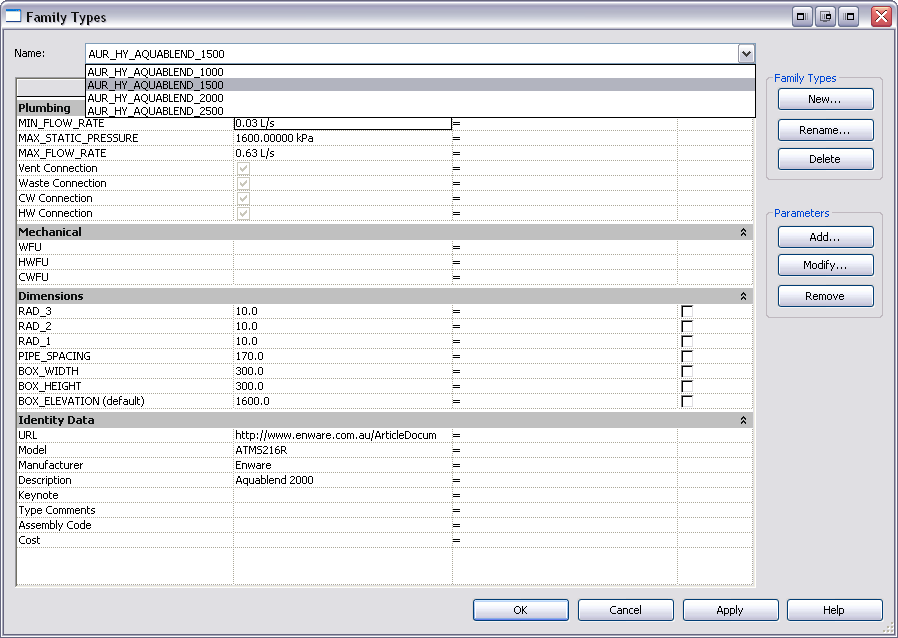
The end result of which looks like this –
[iframe: src=”http://freewheel.autodesk.com/dwf.aspx?path=http://www.revit.com.au/dwf/enware_tmv_box.dwfx” frameborder=”0″ width=”100%” height=”600″ scrolling=”no”]
But what happens if you want to get a little bit fancy? I decided to build on the basic box family, inserting the TMV family as provided by Enware as a nested family, locating it in the correct position within the box, modifying the cover panel so that it has a large cutaway making the valve visible.
Now we have a family that can be used on detail sheets on every future Revit project. Showing the family as part of a detailed amenities block as part of our documentation gives the client a further sense of value and appreciation of Revit.
[iframe: src=”http://freewheel.autodesk.com/dwf.aspx?path=http://www.revit.com.au/dwf/enware_tmv_inbox.dwfx” frameborder=”0″ width=”100%” height=”600″ scrolling=”no”]
Awesome tip man